Did you know you can use Outlook Contact Groups to bundle any set of contacts into a single group and send a message to everyone with just one address? It’s a huge time?saver, eliminating the risk of forgetting a recipient. Once you’ve set up your contacts group (you can have…
Cosurica on Twitter

💡 Outlook tip: You can save a search as a folder.
Search Folders automatically update — perfect for things like high-priority emails from key people.
We’ve shared a quick how-to for Outlook 365 and classic Outlook:
🔗 https://zurl.co/LieXT

Microsoft has announced Fara-7B, an experimental AI model designed to operate a computer by interacting with what’s on screen.
An interesting direction, but still early days.
Here's a practical, security-focused look at what it really means
🔗 https://zurl.co/ISssf

Microsoft Copilot will stop working on WhatsApp from 15 Jan 2026 due to changes in WhatsApp’s platform rules.
We’ve broken down what’s changing, why it matters for businesses, and where Copilot will still be available:
🔗 https://zurl.co/HsPoj

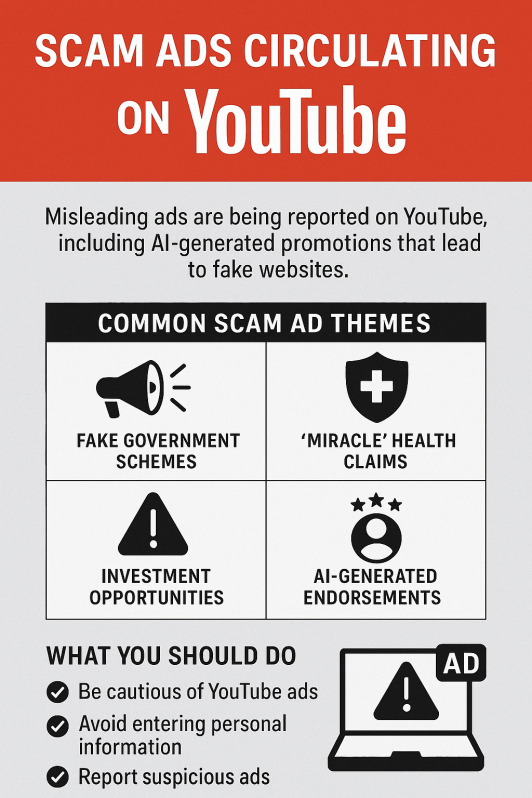
⚠️ Security alert: scam adverts are being reported on YouTube, including fake schemes and AI-generated promotions that lead to suspicious sites.
With more people watching over the holidays, now’s a good time to stay cautious.
🔗 https://zurl.co/CMqiq