Microsoft has announced Fara-7B, an experimental AI model designed to operate a computer by looking at what’s on screen and carrying out actions such as clicking, typing and navigating websites.
Unlike familiar AI tools that generate text or answer questions, Fara-7B sits in a newer category often described as agentic AI — systems designed to take action rather than simply provide advice.
That naturally raises a few practical questions.
In brief:
- What it is: An experimental Microsoft AI model that can operate a computer by looking at the screen and using the mouse and keyboard.
- Why it matters: It points towards future AI tools that could automate routine, browser-based tasks locally on a PC.
- Is it ready for small businesses? No — it’s a research release, not a business-ready product.
- Our view: Interesting to watch, but not something most organisations should be deploying yet.
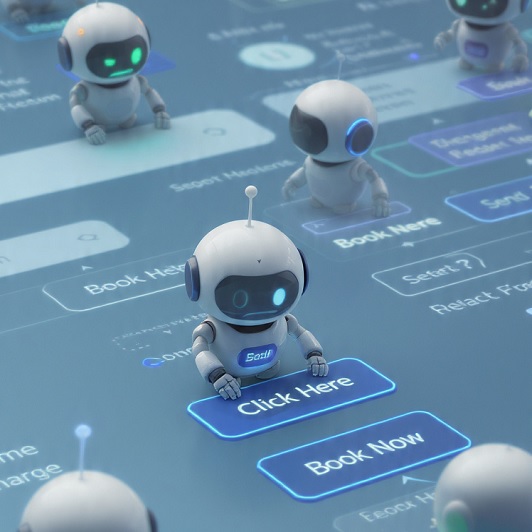
What exactly is Microsoft Fara-7B?
In simple terms, Fara-7B is an AI model that can:
- view screenshots of a computer screen
- interpret what’s visible
- use the mouse and keyboard to complete tasks
It doesn’t integrate directly with software behind the scenes or use hidden system data. Instead, it works visually, much like a human user would.
At this stage, it’s an experimental release aimed at developers and researchers, not a finished business product.
Why is Microsoft building Fara-7B now?
AI development is moving beyond chatbots towards systems that can help complete everyday digital tasks.
Many business processes still rely on web portals and manual interactions — filling in forms, navigating supplier sites or managing online accounts. Tools that could reliably handle this type of work would, in theory, save time and reduce repetitive admin.
For Microsoft, Fara-7B also fits neatly into its wider strategy around Windows, Copilot and AI-enabled PCs, particularly models that can run locally rather than relying entirely on the cloud.
Does running locally matter for businesses?
Potentially — but only if the technology matures enough to be of use to businesses. Microsoft Fara-7B is not ready for release to anyone but developers currently.
Running an AI model directly on a PC can:
- reduce reliance on cloud services
- keep data on the device
- improve responsiveness for screen-based tasks
These are attractive ideas, especially for organisations with privacy or regulatory concerns. However, the benefits only materialise if the system is accurate, predictable and well governed — which remains a challenge at this stage.
What could Fara-7B be used for?
Microsoft’s examples focus on routine web-based tasks such as:
- filling out online forms
- searching for information
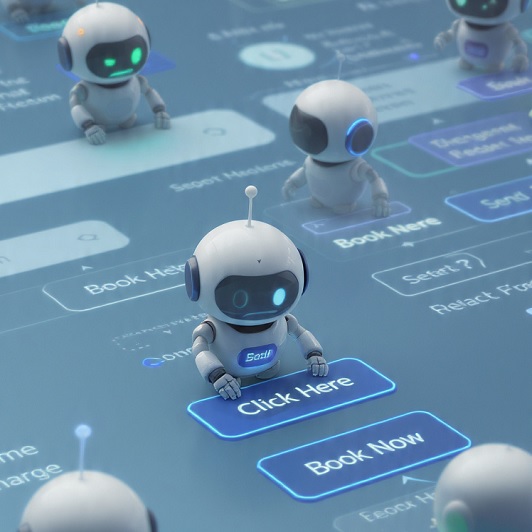
- making bookings
- navigating support or account pages
These are common activities in many small businesses. In principle, automating them could free up staff time and improve consistency.
In practice, today’s release is better seen as a proof of concept rather than a ready-made solution.
Is Fara-7B something small businesses should be using now?
For most organisations, no — not yet.
Fara-7B is not a consumer product and is not intended for unsupervised or production use. It’s designed for controlled experimentation by technical teams.
For small businesses, more immediate value is likely to come from:
- improving existing processes
- using proven automation tools
- adopting current AI assistants in low-risk, well-defined ways
So why is Fara-7B still worth paying attention to?
Simply put, it signals a clear direction of travel.
Fara-7B shows that:
- on-device AI automation is becoming technically possible
- computer-use agents no longer require large cloud-only systems
- major vendors are investing heavily in this space
Over time, ideas from experimental models like this are likely to surface in more polished, integrated tools designed for everyday business use.
Security-focused FAQs about Fara-7B
Q. Could an AI like Microsoft Fara-7B access sensitive business data?
A. Yes — potentially. Any system that can control a computer and interact with live websites may encounter sensitive information, credentials or personal data. Even when running locally, strong controls are needed to ensure data is handled appropriately and actions are logged.
Q. How would errors or unintended actions be detected?
A. This is one of the biggest challenges with computer-use AI. Unlike traditional automation tools, these systems interpret visual interfaces, which can change unexpectedly. Without proper monitoring and human oversight, mistakes could go unnoticed until after the fact.
Q. Is this type of AI vulnerable to malicious websites?
A. Potentially, yes. A system that follows on-screen instructions could be influenced by misleading prompts, deceptive interfaces or hostile web content. This is an active area of research and one reason these tools are not yet suitable for unsupervised use.
Q. Can safeguards prevent risky actions?
A. Microsoft has introduced measures such as stopping at payment or permission stages and requiring confirmation before proceeding. These are sensible steps, but they do not remove the need for governance, testing and clearly defined boundaries around what an AI agent is allowed to do.
Q. What should small businesses do right now?
A. The sensible approach is to:
- stay informed about developments
- be cautious of hype around “autonomous” AI
- prioritise security, reliability and accountability over novelty
When agent-based automation becomes mature enough for mainstream use, it will likely arrive as part of well-supported platforms with clear controls — not as standalone experimental models.
Cosurica’s view
Microsoft Fara-7B is an interesting development, but it’s best viewed as something to watch rather than adopt.
For small businesses, the key distinction is between capability and readiness. While the technology is advancing quickly, safe and reliable automation remains essential — particularly where security, data protection and operational risk are involved.
There’s more information available on Microsoft’s website here